Savings goals help you visualize and track your progress towards specific financial targets.
How to create a savings goal:
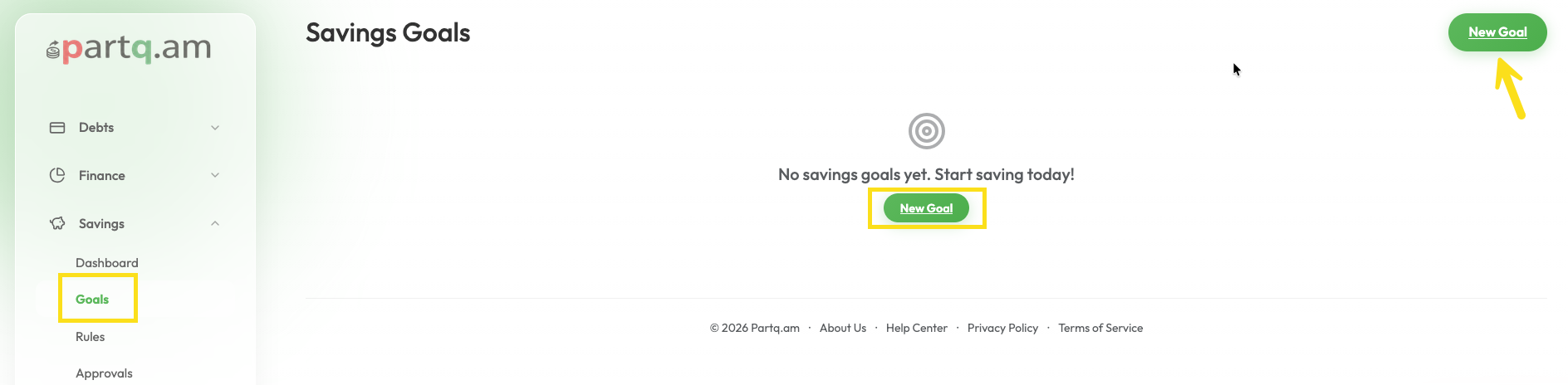
- Go to the Savings dashboard.
- Click on New Goal.
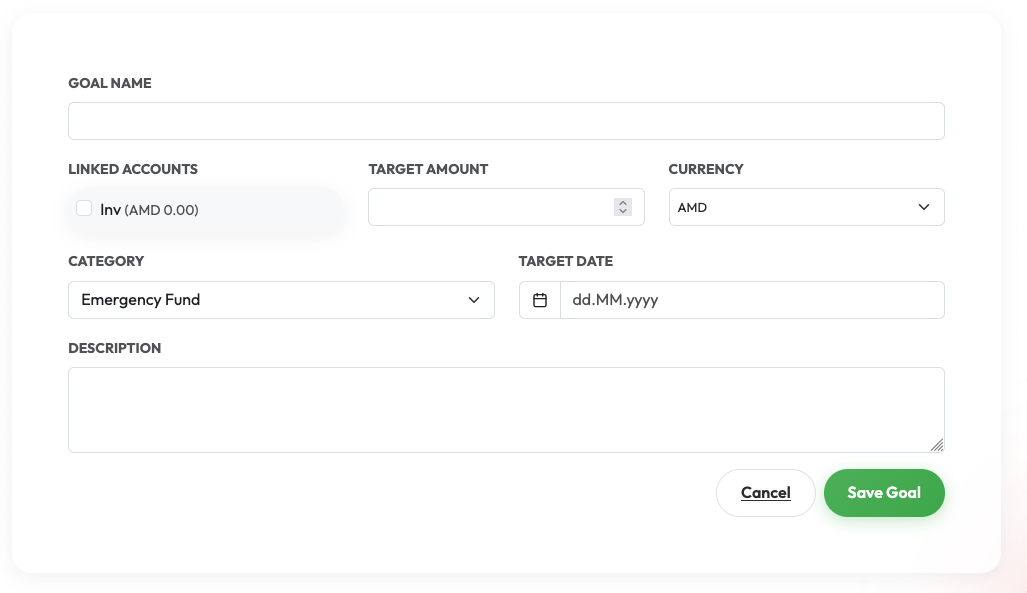
- Enter the Name of your goal (e.g., "Dream Vacation").
- Select Linked Accounts (optional) to track existing funds towards this goal.
- Set the Target Amount you want to save.
- Choose the Currency for the goal.
- Select a Category (e.g., Vacation, Emergency Fund, House).
- Set a Target Date when you want to achieve this goal.
- Add a Description (optional) for more details.
- Click Save.