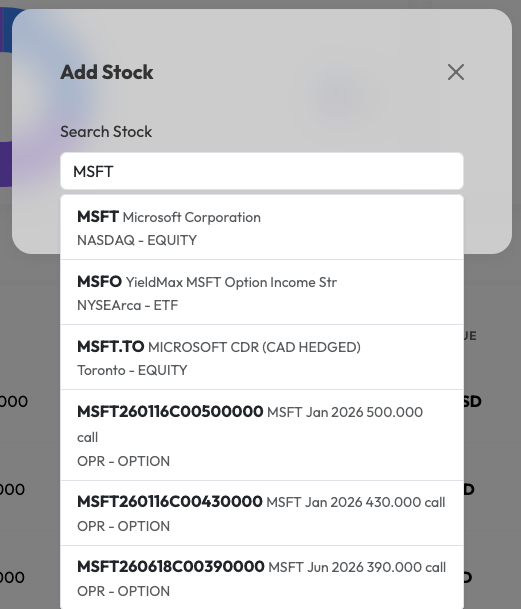
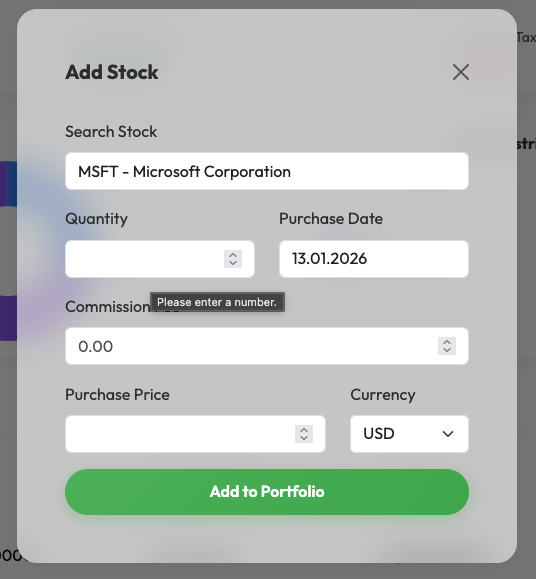
To add a stock to your portfolio, you first need to have an Investment Account created.
Steps to add a stock:
- Navigate to your Investment Account page.
- Click the + Add button next to the Stocks section.
- Fill in the Stock Ticker symbol (e.g., AAPL).
- Enter the Quantity of stocks bought.
- Select the Purchase Date when the stocks were bought.
- Enter the Price per Share that was paid.
- If applicable, enter the Buy Commission fee.
- Click Add to Portfolio.