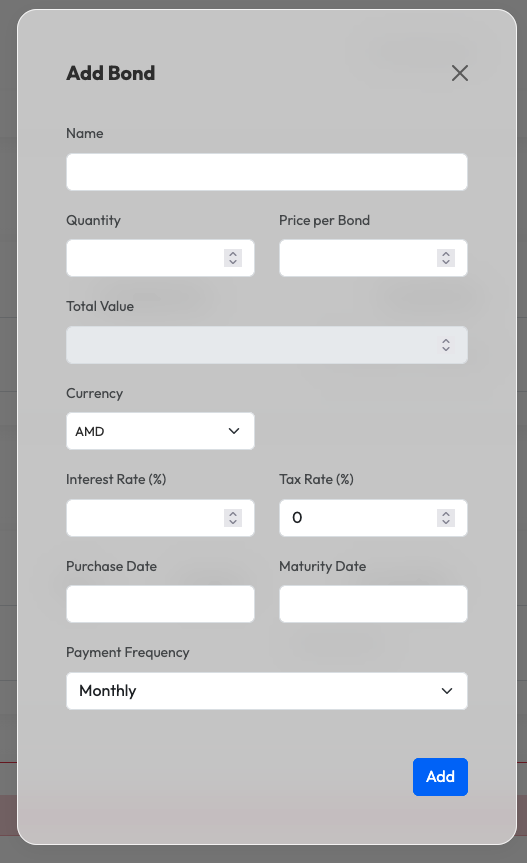
To add a bond to your portfolio, you first need to have an Investment Account created.
Steps to add a bond:
- Navigate to your Investment Account page.
- Click the + Add button next to the Bonds section.
- Enter the Bond Name.
- Fill in the Quantity bought.
- Enter the Price per Bond (single bond price).
- Select the Currency of the bond.
- Fill in the Interest Rate (%).
- Enter the Tax Rate (%) if applicable.
- Select the Bond Placement Date.
- Select the Bond Payout Date.
- Select the Payment Frequency.
- Click Add.